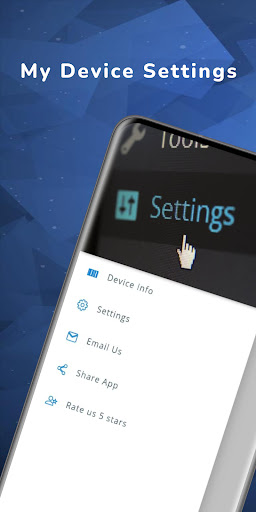



My Device Settings shows what is inside your Android phone and takes you to the system setting you need in one tap. Check your phone's health, look after the battery, inspect your Wi-Fi and keep handy tools together in one app.
DEVICE INFORMATION
• Model, Android version, manufacturer and platform
• Display: resolution, pixel density and orientation
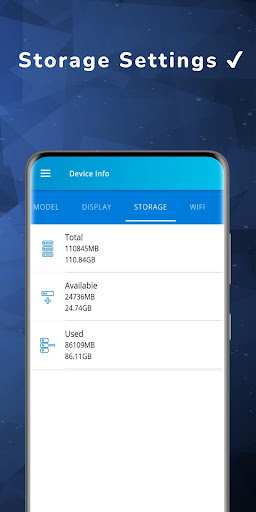
• Storage: total, used and available space
• RAM and CPU: architecture, cores, ABI and core frequencies
• Every sensor in your phone, with its details
• Battery: level, charging state, charger type, health, technology, temperature and voltage
DEVICE CHECK-UP
• One check-up for battery health and temperature, free storage, security patch age and Wi-Fi security
• Each item shows what is fine and what needs attention, with a shortcut to the matching screen
• Optional weekly reminder as a local notification. Nothing leaves this phone
BATTERY ALERTS
• An alert when the battery reaches the charge level you choose
• A warning when the battery gets too hot
• A drain-per-hour chart for the last 24 hours
SETTINGS SHORTCUTS
• Open Wi-Fi, Bluetooth, NFC, hotspot, display, sound, location, apps, privacy and many more system settings in one tap
• Search shortcuts or browse them by category
• Pin your favorite settings, apps and links to My shortcuts
ADVANCED INSIGHTS
• Storage Analyzer: used and free space, with tips to free up room
• Battery & Power: spot battery drain patterns
• Performance Snapshot: see what is slowing things down
• Security Analyzer: security gaps you might miss
• Network Diagnostic: why your connection feels slow
• Export Device Report: copy or share the report as text or JSON
• System Insights: your settings usage, a device snapshot and suggestions
WI-FI TOOLS
• Scan the Wi-Fi networks around you
• See the devices connected to your network
• Wi-Fi and IP details: network name, signal, link speed, frequency, IP address, DNS and more
• Wi-Fi history: visits and signal quality for each network, and a notice when a new device appears on your network
TOOLS
• Compass
• Metal detector that uses the phone's magnetic sensor
• Flashlight and screen light
• Battery monitor
HOME-SCREEN WIDGETS
• Two widgets show device, storage and battery status at a glance
GOOD TO KNOW
Some features depend on your phone's hardware: the compass and the metal detector need a magnetic sensor, and the flashlight needs a camera flash. The app reads information and opens system settings for you; it does not change system settings on its own. Battery history, Wi-Fi history and check-up results are saved only on your device.
ADS AND PRO
The app shows ads. Without Pro, Advanced Insights open with daily passes or after a short video. The optional Pro upgrade removes ads and unlocks unlimited insights and reports, unlimited pinned shortcuts, and your own names and icons for pinned shortcuts. Pro is available monthly, yearly or as a one-time purchase.
Questions or a problem? Write to support@yalintech.com and we will help.
Privacy Policy: https://yalintech.com/legal/device/privacy
Terms of Service: https://yalintech.com/legal/device/terms
What's new:
• Advanced Insights redesigned: a score, a clear verdict and plain-words tips for security, storage, battery, performance and network
• Redesigned compass and tools
• Pro plans on one clear screen: monthly, yearly or one-time
Fixes & improvements:
• Faster start-up and stability improvements