- Applications
- Tools
PDFelement-PDF Editor & Reader

| Install | 14 K |
| From 21 Rates | 3.6 |
| Category | Tools |
| Size | 114 MB |
| Last Update | 2026 September 16 |

| Install | 14 K |
| From 21 Rates | 3.6 |
| Category | Tools |
| Size | 114 MB |
| Last Update | 2026 September 16 |
Images
Introduction
PDF Editor, Reader & AI PDF Assistant
PDFelement is an all-in-one PDF editor, PDF reader, scanner, converter, and AI PDF assistant. Edit PDFs, read documents, scan with OCR, convert PDF files, fill and sign forms, summarize documents with AI, and manage PDFs—all in one app.
Whether you're working with contracts, reports, research papers, forms, invoices, or everyday documents, PDFelement gives you powerful PDF tools to work smarter on your phone.
AI PDF Assistant
Work with documents faster using AI-powered PDF tools.
• Chat with PDF: Ask questions about your PDF and get instant, context-aware answers.
• AI PDF Summarizer: Summarize long contracts, reports, articles, and research papers into key points.
• AI PDF Translator: Translate PDFs and selected text across 60+ languages.
• PDF to Mind Map: Turn PDF content into visual mind maps for easier understanding.
• AI Record: Record and transcribe voice notes for smarter document workflows.
Edit PDF Like Word
Use powerful PDF editing tools to update documents without recreating them.
• Edit PDF Text: Add, delete, and modify text directly in PDFs.
• Edit Images & Layouts: Adjust document content and layout with ease.
• Custom Fonts: Import TTF and OTF fonts to preserve formatting and create professional-looking PDFs.
• Adjust fonts, spacing, alignment, and text formatting.
PDF Scanner & OCR
Turn paper documents into clear, searchable, and editable PDFs.
• Smart PDF Scanner: Scan receipts, invoices, IDs, forms, books, and other documents.
• Enhance Scanned PDFs: Improve newly scanned and imported PDFs with automatic perspective correction, deskewing, text sharpening, brightness adjustment, and background cleanup.
• PDF OCR: Extract searchable and editable text from scanned PDFs and images.
PDF Converter
Convert PDF files into the formats you need.
• PDF to Word: Convert PDFs into editable Word documents.
• PDF to Excel: Turn PDF tables, invoices, and bank statements into editable spreadsheets.
• PDF to PPT: Convert PDFs into PowerPoint files.
• PDF to Images: Export PDF pages as images.
• Convert to PDF: Create PDFs from Office files and images.
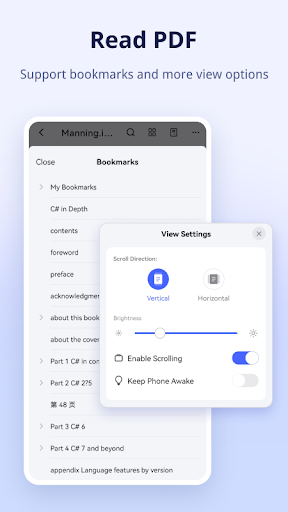
Professional PDF Reader
Read and navigate PDF documents comfortably.
• Liquid Mode: Enjoy a responsive reading experience on different screen sizes.
• Bookmark: Save important pages for quick access.
• Read Aloud: Listen to PDF content hands-free.
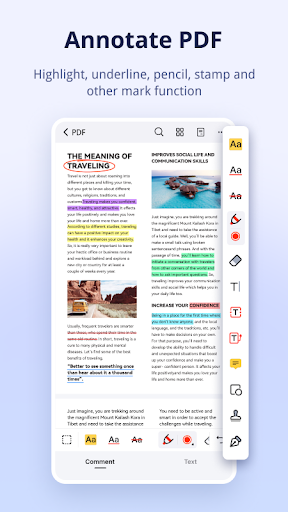
Annotate PDF
Review documents with professional annotation tools.
• Highlight and mark important PDF text.
• Add comments, notes, shapes, and other annotations.
• Measure PDF content when precision matters.
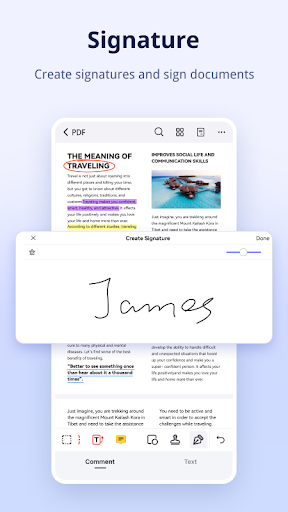
Fill & Sign PDF
Complete and sign documents directly on your phone.
• Fill PDF Forms quickly and conveniently.
• Sign PDF documents with digital signatures.
• Add custom stamps to forms and business documents.
Create & Manage PDFs
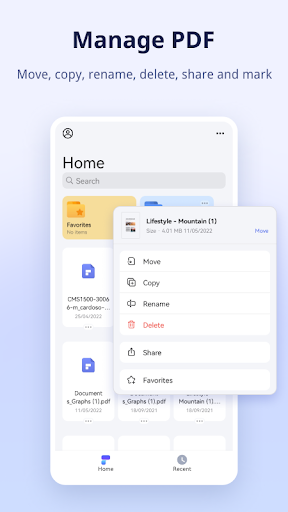
Handle everyday PDF tasks from one place.
• Create PDF from blank pages, documents, or images.
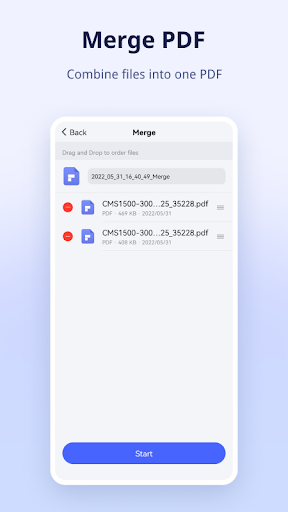
• Merge PDF files into one organized document.
• Compress PDF files to reduce file size while maintaining quality.
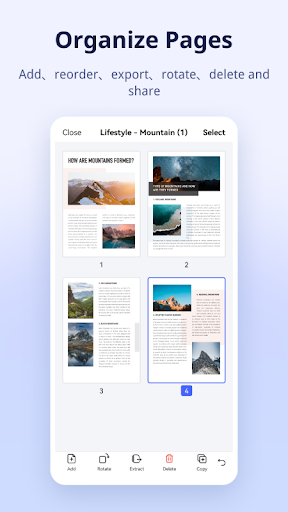
• Organize, reorder, rotate, add, or delete PDF pages.
Protect, Store & Share PDFs
Keep important documents organized and secure.
• Protect PDF files with password protection.
• Store and access documents with PDFelement Cloud.
• Share PDFs whenever you need them.
PDF Templates
Explore customizable templates for resumes, invoices, planners, business documents, and more.
From editing and reading PDFs to scanning documents, OCR, converting files, filling and signing forms, and working with AI, PDFelement brings essential PDF tools together in one powerful mobile app.


Related Applications







Users Also Installed






Similar Applications