- Applications
- Photography
Pencil Sketch: Photo & Video
| Install | <100 |
| From 0 Rates | 0 |
| Category | Photography |
| Size | 8 MB |
| Last Update | 2026 September 19 |

| Install | <100 |
| From 0 Rates | 0 |
| Category | Photography |
| Size | 8 MB |
| Last Update | 2026 September 19 |
Images

Introduction
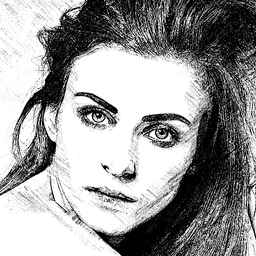
Pencil Sketch turns your everyday photos and videos into pencil sketch art, oil paintings, and hand-drawn animations — right on your phone, in seconds.
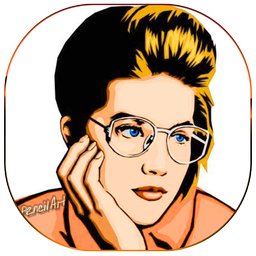
Pick any photo from your gallery and watch it redraw itself stroke-by-stroke into a real pencil sketch, or apply one of 24 artistic filters including Oil Paint, Watercolor, Crayon, Charcoal, Ink Outline, Toon, Neon, Pop Art, Mosaic, Lomo, Vintage B&W, and more.
Want more than a still photo? Use Sketch a Video to turn any video clip into an animated pencil-sketch or ink-outline video, with 8 real-time video effects to choose from.
FEATURES
• Pencil Sketch Photo Editor — convert any photo into a hand-drawn pencil sketch with a live drawing animation
• 24 Art Filters — Pencil (5 styles), Oil Paint, Watercolor, Crayon, Charcoal, Ink Outline, Toon, Neon, Pop Art, Mosaic, Prizma, Crosshatch, Chalkboard, Blueprint, Lomo, Sepia, Vintage B&W, and more
• Sketch a Video — apply 8 animated sketch effects (Pencil Sketch, Ink Outline, Crosshatch, Toon, Neon, Oil Paint, Vintage B&W, Lomo) to your videos
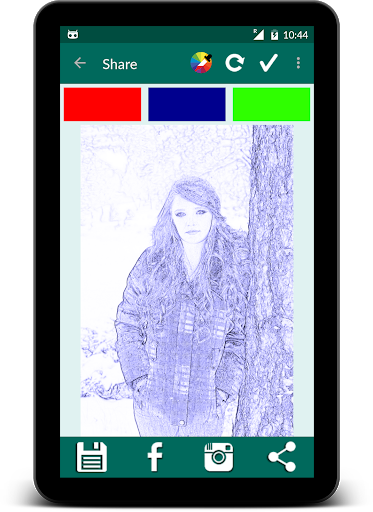
• Simple Gallery Picker — browse and select any photo straight from your device gallery
• Crop, Align & Flip — adjust your photo before sketching
• Save & Share — export your sketch photo or video and share it directly to Instagram, Facebook, and other apps
Whether you want a quick pencil sketch filter for a profile picture, an oil painting effect for a print-worthy photo, or a full animated sketch video for social media, Pencil Sketch gives you a fast, no-clutter way to turn photos and videos into art.
Download Pencil Sketch and turn your next photo into a sketch.
Related Applications









Users Also Installed









Similar Applications