- Applications
- Tools
Voice Lock: Unlock Screen Lock


Images

Introduction
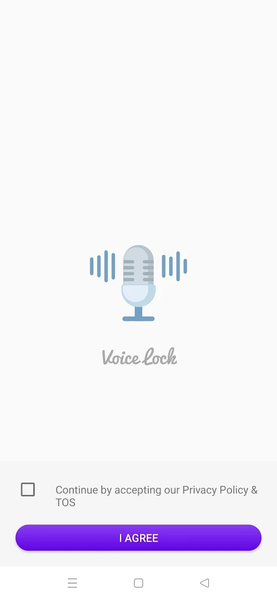
Make your lock screen feel more personal with a voice phrase, a four-digit backup PIN and a choice of visual backgrounds.
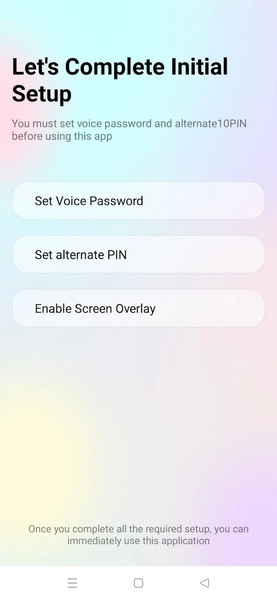
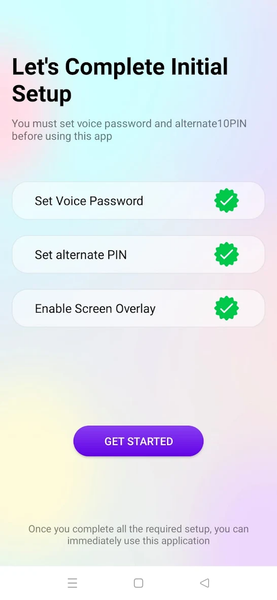
Voice Lock Screen listens for the phrase you set and compares the recognized words with a protected verifier stored by the app. If voice recognition is unavailable or does not match, you can switch to your backup PIN. A guided setup keeps each step clear, from recording the phrase twice to enabling the screen overlay required for the custom lock screen.
Key features
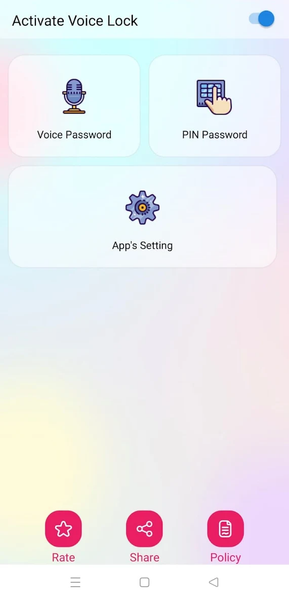
* Set a personal voice phrase and confirm it with a second sample
* Use a four-digit PIN as an alternative unlock method
* Change your saved voice phrase or PIN after confirming the current one
* Turn Voice Lock protection on or off from the home screen
* Choose included lock-screen wallpapers
* Optionally watch a rewarded ad to permanently unlock additional wallpapers
* Control sound and vibration preferences
* Use a clean lavender interface designed for different Android screen sizes
How setup works
1. Review the microphone explanation and allow microphone access.
2. Record a phrase that is easy for you to repeat.
3. Say the same phrase again to confirm it.
4. Create and confirm a four-digit backup PIN.
5. Review and enable Display over other apps so the custom lock screen can appear.
6. Turn Voice Lock protection on or off from the home screen.
Voice recognition behavior
Recognition results depend on the speech-recognition service installed on your device, your language, pronunciation, microphone quality, background noise and network availability. Some recognition services process speech online. Voice Lock does not intentionally save raw audio. It stores salted, iterated verifiers of the recognized phrase and PIN for later matching. Remember your PIN as a fallback.
Permission use
Microphone: recognizes the phrase you speak during setup, confirmation and use of the custom Voice Lock screen. When protection is enabled, this may operate through a visible foreground service even while the main app is not open.
Display over other apps: shows the custom lock interface above other apps when protection is enabled. This access is enabled manually in Android Settings.
Notifications and foreground service: keeps the enabled voice-lock function visible and manageable while it is running.
Internet and network state: support advertising and speech-recognition providers that require a connection.
Privacy and control
The app does not create an account and first-party code does not upload the saved voice/PIN verifiers to a GoGone server. You can replace them in the app, turn protection off, revoke microphone or overlay access in Android Settings, or clear app storage/uninstall the app to delete local data.
Voice Lock Screen is a customizable app overlay. It is not a replacement for Android's system lock screen, device encryption, biometric authentication or account security. Keep a secure Android system lock enabled when protection of personal data is important.
Advertising
The app is ad-supported and can show separated adaptive banners, an app-open ad on eligible returning launches, an occasional interstitial after a completed setup/change task, and optional rewarded ads chosen by the user for wallpaper unlocks. Ads are not placed on the active lock-screen overlay.
Device behavior can vary because Android manufacturers apply different microphone, battery, background-service and overlay restrictions.
Related Applications








Users Also Installed