
| Antivirus | Status |
|---|---|
| DrWeb | Clean |
| McAfee | Clean |
| ZonerMobileSecurity | No result |
Needs further review: this scanner has not returned a result for this version of the app. | |
| FSecure | No result |
Needs further review: this scanner has not returned a result for this version of the app. | |
| GooglePlayProtect | No result |
Needs further review: this scanner has not returned a result for this version of the app. | |
| ClamAv | Clean |
| Eset | Clean |
| Comodo | Clean |
| Symantec | Clean |
| Kaspersky | Clean |
App screenshots
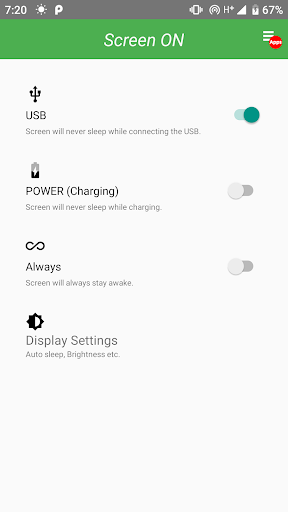

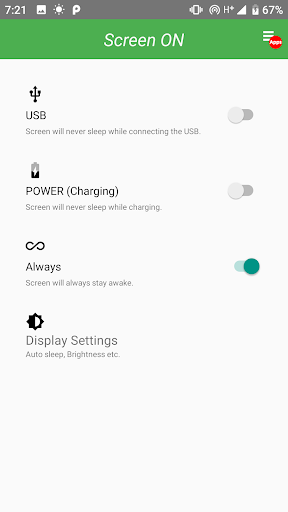
“Screen ON” can prevent the smartphone from automatically turning off the screen in various ways.
You can control the smartphone screen off and on. ( keep screen on )
If you are uncomfortable with screen off with your smartphone, you can prevent it from turning off.
You can keep the screen on your smartphone on. Use your smartphone depending on the situation without screen sleep (Auto Sleep).
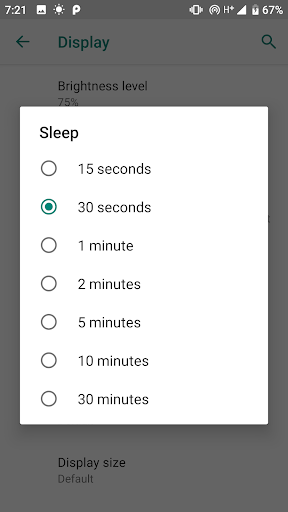
It can be used simultaneously with the sleep mode reservation (timeout setting) on the screen of the smartphone preferences.
It is further complemented by the feature Keep screen on (screen does not turn off while charging) in the Android Developer options in your smartphone settings.
You can stay screen on ( without Lock screen).
You can set the power saving mode and auto sleep by using the display setting shortcut.


