- Applications
- Tools
PDF Scanner - Document Scanner
| Install | 280 |
| From 1 Rates | 1 |
| Category | Tools |
| Size | 26 MB |
| Last Update | 2026 September 13 |
| Install | 280 |
| From 1 Rates | 1 |
| Category | Tools |
| Size | 26 MB |
| Last Update | 2026 September 13 |
Images


Introduction
Looking for an easy way to read, view, scan, edit, create, and manage PDF files? PDF Scanner - Document Scanner brings essential PDF tools together in one simple app. Open documents, scan papers, create PDF files, edit documents, or convert images to PDF for quick everyday tasks.
Key Features of PDF Scanner - Document Scanner
Fast PDF Viewer & Document Viewer
Simple PDF Reader
PDF Maker & PDF Creator
PDF Editor Tools
PDF Converter
PDF Image Extractor
Easy PDF File Management
The PDF Viewer provides a quick and convenient way to view PDF files stored on your phone. Open documents, browse pages, access important files, and enjoy smooth PDF viewing with a simple interface. Whether you need to view a document or check an important file, the PDF Viewer keeps everything easy to access.
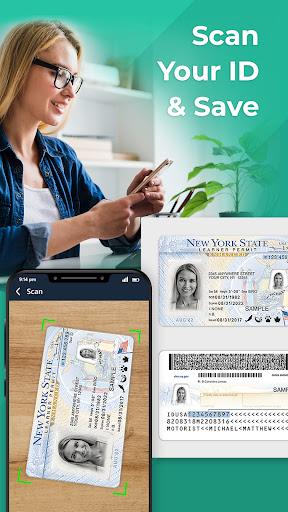
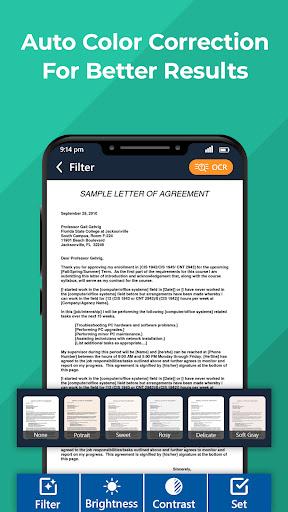
Need to scan documents? The PDF Scanner - Document Scanner helps digitize papers, notes, receipts, forms, and other documents. Scan multiple pages, save scanned documents as PDF files, and keep important information organized. The PDF Scanner makes everyday document scanning simple and convenient.
The PDF Reader provides an easy way to read PDF files on your phone. Open documents with the PDF Viewer, browse pages, and read important files whenever needed. With a simple interface and smooth PDF reader, reading documents becomes quick and convenient.
PDF Maker helps create PDF files from images and documents. Use the PDF Creator to make new PDF documents, while Image-to-PDF and JPG-to-PDF conversion turn pictures into PDF files in just a few steps. Create and organize documents without complicated processes.
The PDF Editor provides useful tools to edit and manage PDF documents. Make changes, organize content, and manage files with convenient editing options. The PDF Editor keeps essential document tools available in one place.
PDF Converter provides a simple way to convert supported images and documents into PDF format. Convert files without complicated steps and keep your converted documents easy to access through the PDF Viewer.
Need images from a document? The PDF Image Extractor helps extract images quickly. Save extracted images and organize them with built-in file management tools.
PDF Scanner - Document Scanner combines a powerful PDF viewer, PDF reader, PDF maker, PDF creator, PDF editor, PDF converter, and PDF image extractor in one convenient app.
Open files with the PDF Viewer, scan papers with the PDF Scanner, read documents with the PDF Reader, create PDFs, edit files, extract images, or convert documents with simple built-in tools. Easy PDF file management keeps important documents accessible in one place.
Download PDF Scanner - Document Scanner to view, scan, read, edit, create, convert, extract images, and manage PDF files effortlessly.
Related Applications





Users Also Installed






Similar Applications